
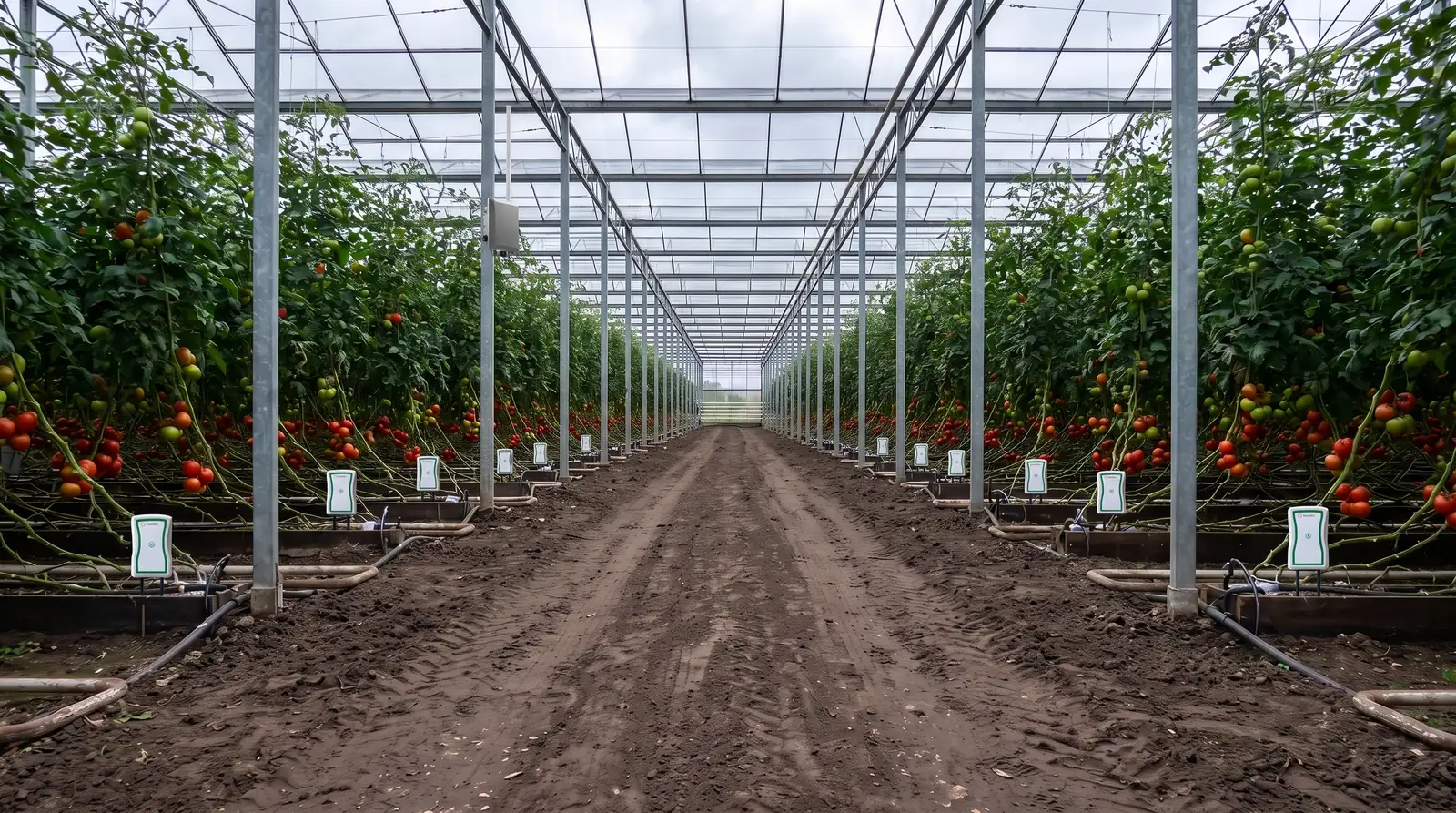
Flo Communication Guide
One controller, many ways to connect. Every mode explained simply, and when to use it.
The Flo irrigation controller talks wirelessly to the Growbud cloud. It talks over wires to building systems and industrial sensors. And it listens directly to nearby Growbud sensors. This guide walks through each mode in plain language, with a simple rule of thumb for when to use it.
Quick Pick
Just want it to work?
Use LoRaWAN with a Growbud gateway. This is the standard setup.
No gateway?
Amazon Sidewalk covers basic commands. Or connect from your phone over Bluetooth.
Have wired industrial sensors?
Use Modbus master mode. Flo reads them for you.
Building management system runs the show?
Use Modbus slave or BACnet mode. Your BMS takes control.
On an IP network?
Use any Ethernet-to-RS485 Modbus adapter (see the Modbus slave section).
Growbud soil sensors nearby?
Flo reads them automatically over Bluetooth. No extra setup.
LoRaWAN, the Standard Mode
LoRaWAN is long-range wireless. Flo talks to a Growbud gateway from miles away, with no wiring. One gateway can cover a large facility or an entire field.
Readings go up to the cloud. Commands, schedules, and configuration come down to the controller. Flo supports low-latency modes (Class B and C), so commands arrive in seconds, not minutes.
When to use this
This is the default. If you have a Growbud gateway, use LoRaWAN.
Amazon Sidewalk, the Fallback
No gateway? Flo can use Amazon Sidewalk, a shared network built from nearby devices like Echo speakers.
Sidewalk messages are tiny, just 19 bytes. That is enough for simple commands: on/off, pulse, level, and test reads. It is not enough for large configuration pushes or firmware updates.
When to use this
Backup coverage, or gateway-less sites in Sidewalk coverage areas.
Bluetooth for Setup and Service
Bluetooth is a direct connection from your phone or tablet to the controller. Stand near the Flo, open the app, and connect.
It handles the big jobs long-range wireless can't: full configuration pushes and firmware updates. Firmware updates are Bluetooth-only.
When to use this
Initial setup, on-site changes, and firmware updates.
Modbus Master: Flo Reads Your Wired Sensors
Already own wired industrial sensors? Soil probes, climate sensors, flow meters. If they speak Modbus RTU, connect them to Flo's two-wire RS-485 port. Flo polls them and sends their readings up alongside your Growbud sensor data.
Setup is guided in the app:
- Pick a sensor preset, or define registers manually
- Set the sensor's address
- Run a live test read to confirm it works
- Link the readings to your zones
When to use this
You already own wired industrial sensors and want them in Growbud dashboards and automations.
Modbus Slave: Your Building System Controls Flo
This mode flips the same RS-485 port around. Your building-management system (BMS) becomes the master, and Flo joins the bus as a standard Modbus device.
The BMS can read Flo's status (per-channel state, faults, levels, currents) and command outputs through standard registers.
This is the same two-wire RS-485 serial bus BMS integrators already run, with a configurable device address.
Safety first: every command still passes through Flo's built-in safety interlocks. The BMS can't bypass leak shutoffs or hardware protections.
Connecting over Ethernet with RS-485 adapters
Flo's wired port is two-wire RS-485 (Modbus RTU). Many building systems and SCADA tools live on the IP network and speak Modbus TCP instead. A small, inexpensive Ethernet-to-RS485 Modbus gateway bridges the two, so your network sees Flo like any other Modbus TCP device.
- Wire the adapter's RS-485 terminals (A/B, plus ground if provided) to Flo's RS-485 port.
- In the Growbud app, open the Flo's Communication Settings and set the wired mode to Modbus Slave. Give Flo a device address (1–247) and note the serial settings (baud rate, parity, stop bits) — these are configurable in the same screen.
- On the adapter's own setup page, configure it as a Modbus TCP-to-RTU gateway and set its serial side to match Flo's settings exactly (same baud, parity, stop bits).
- From your BMS or SCADA, connect to the adapter's IP address (standard Modbus TCP port 502) and use Flo's device address as the Modbus unit ID. Read status registers and write control registers as usual.
Every command still passes through Flo's built-in safety interlocks, no matter where it came from. The same adapter approach works for BACnet buildings via BACnet/IP-to-MS/TP routers when Flo is in BACnet mode.
Growbud doesn't make the adapter. Any standard Modbus TCP/RTU gateway works.
When to use this
Your facility's central control system should own irrigation decisions.
BACnet MS/TP for BACnet Buildings
Some buildings standardize on BACnet instead of Modbus. Flo supports that too. It joins the BACnet MS/TP network as a device and exposes its channels and telemetry as BACnet objects your building automation system can read and write.
Same wiring (RS-485). Same safety interlocks.
One port, one mode: the three wired modes — Modbus master, Modbus slave, and BACnet share the one RS-485 port. Pick one at a time in the app's communication settings.
When to use this
BACnet-based building automation.
Direct Sensor Monitoring: Flo Listens to Your Soil Sensors
Nearby Growbud Dro and Vero sensors broadcast their readings over Bluetooth. A linked Flo picks them up passively, no pairing dance, no connection per reading. Just link them and go.
Linked sensors automatically speed up to a fresh reading every minute. And they let Flo deliver their data to the cloud instead of using their own long-range radio, which saves sensor battery.
Failsafe built in: if the Flo goes offline or loses its cloud connection, sensors automatically switch back to their own radio within minutes. Data is never lost.
When to use this
It's automatic whenever Growbud sensors are in Bluetooth range of a linked Flo. This is how VWC-based irrigation automation gets minute-fresh data.
Ready to connect your Flo controller?
Shop controllers, sensors, and gateways, or schedule a demo to see how Growbud can help your grow operation.